
“Stay logged in” is a feature that allows you to remain logged in without having to enter your ID and password every time you access the service.
If you check “Stay logged in” and complete the login, you will remain logged in until you manually log out or your browser cookies are deleted.
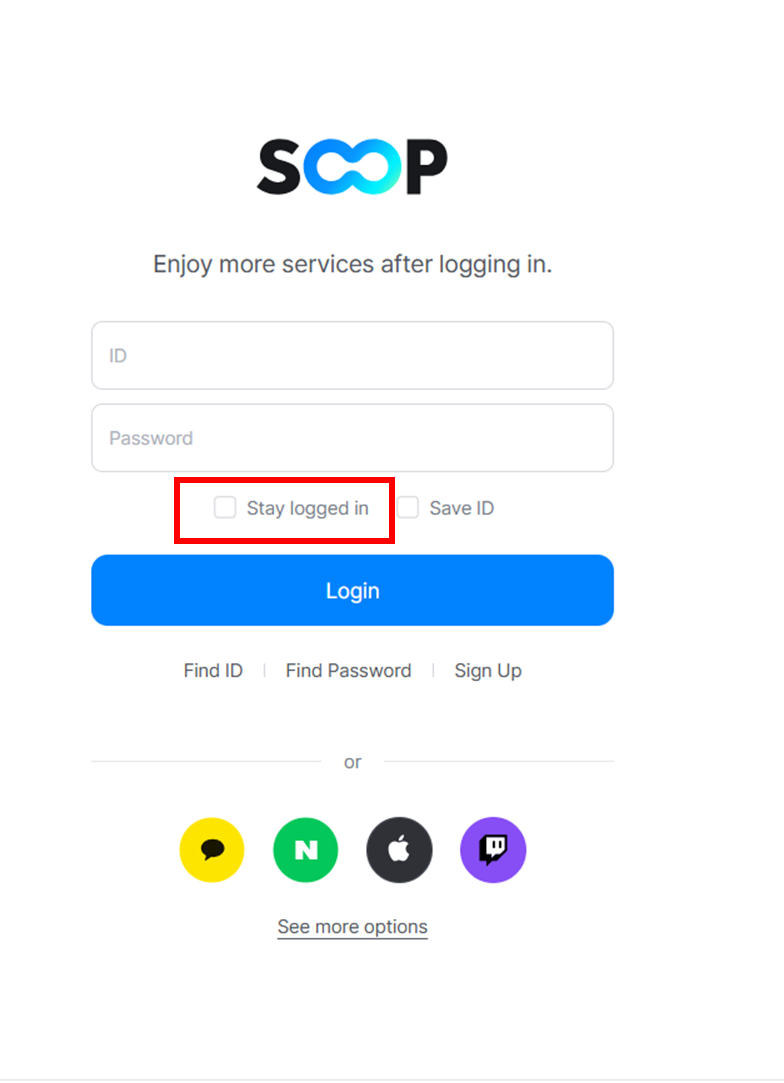
[Important Notes]
- For privacy protection, please use this feature only on personal devices (PC or smartphone).
- If there is no activity on SOOP for 30 days, the login session will be automatically terminated.
- This feature is not available when using private browsing modes provided by some browsers (e.g., Chrome Incognito mode).
- If you log in using an SNS account, the “Stay logged in” feature will not be supported.
[How to Disable “Stay Logged In”]
1. Logging out manually will disable the “Stay logged in” status.
2. You can also disconnect your session by going to My Information > Login > Login Device List and clicking “Disconnect” for the desired device.