If you see the message “An account has already been verified. Please use the verified account to access the service” when attempting identity verification with an SNS account, it means that there is already an SNS account verified under your name. Please find and use your existing account.
For overseas users, you can recover your ID/password through email verification. Please follow the steps below:
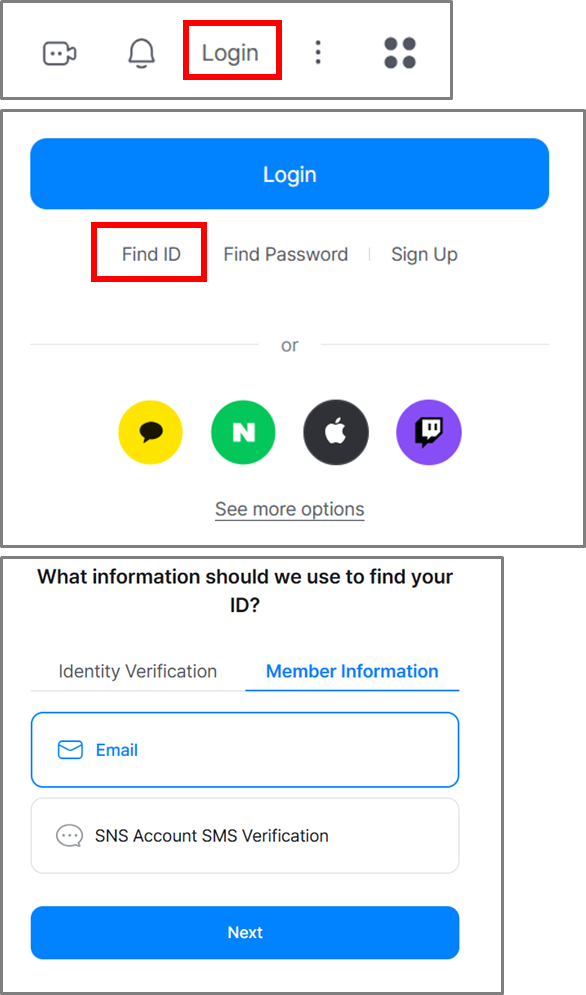
[PC]
Go to the SOOP website → Click “Login”
→ Click “Find ID/Password” at the bottom → Member Information → Email
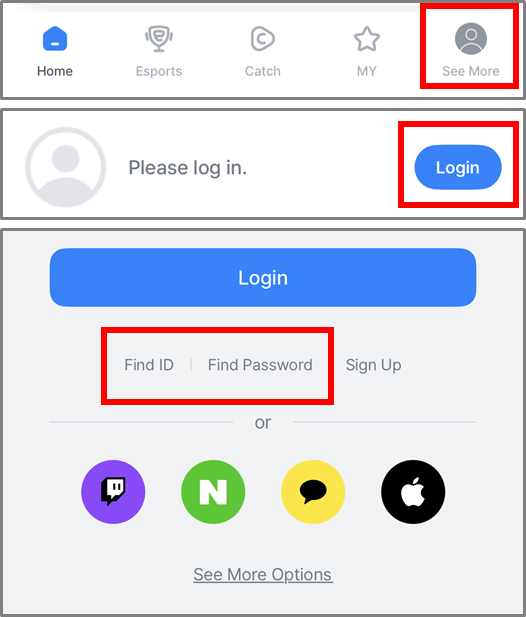
[Mobile]
Open the SOOP app → Tap “More” (bottom right) → Tap “Login”
→ Select “Find ID/Password” → Member Information → Email