
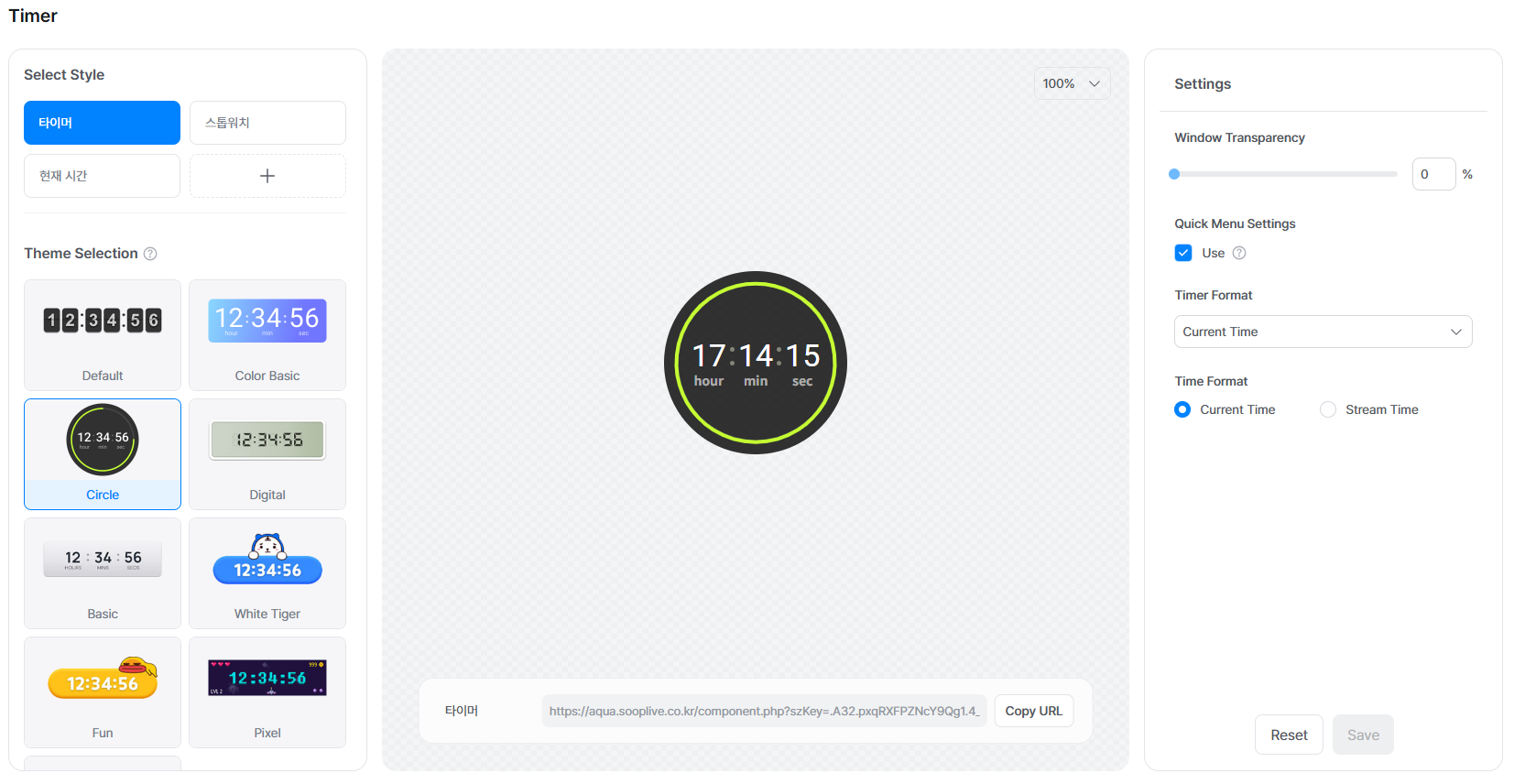
The Virtual Assistant timer allows you to display a timer, stopwatch, or the current time (broadcast time) on your broadcast screen.
You can use it for various content such as timed missions, game challenges, or long streaming sessions.
[How to Set the Timer]
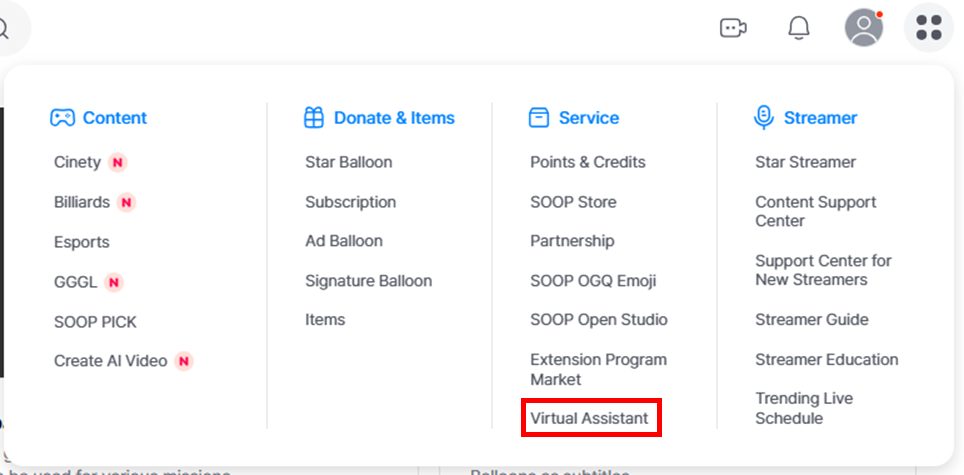
STEP 1: Go to the Virtual Assistant settings page.
STEP 2: Configure the timer and save the settings.
STEP 3: Apply the Virtual Assistant in FreecShot and start your broadcast.