
This feature allows chat messages from the chat window to be displayed on the stream screen.
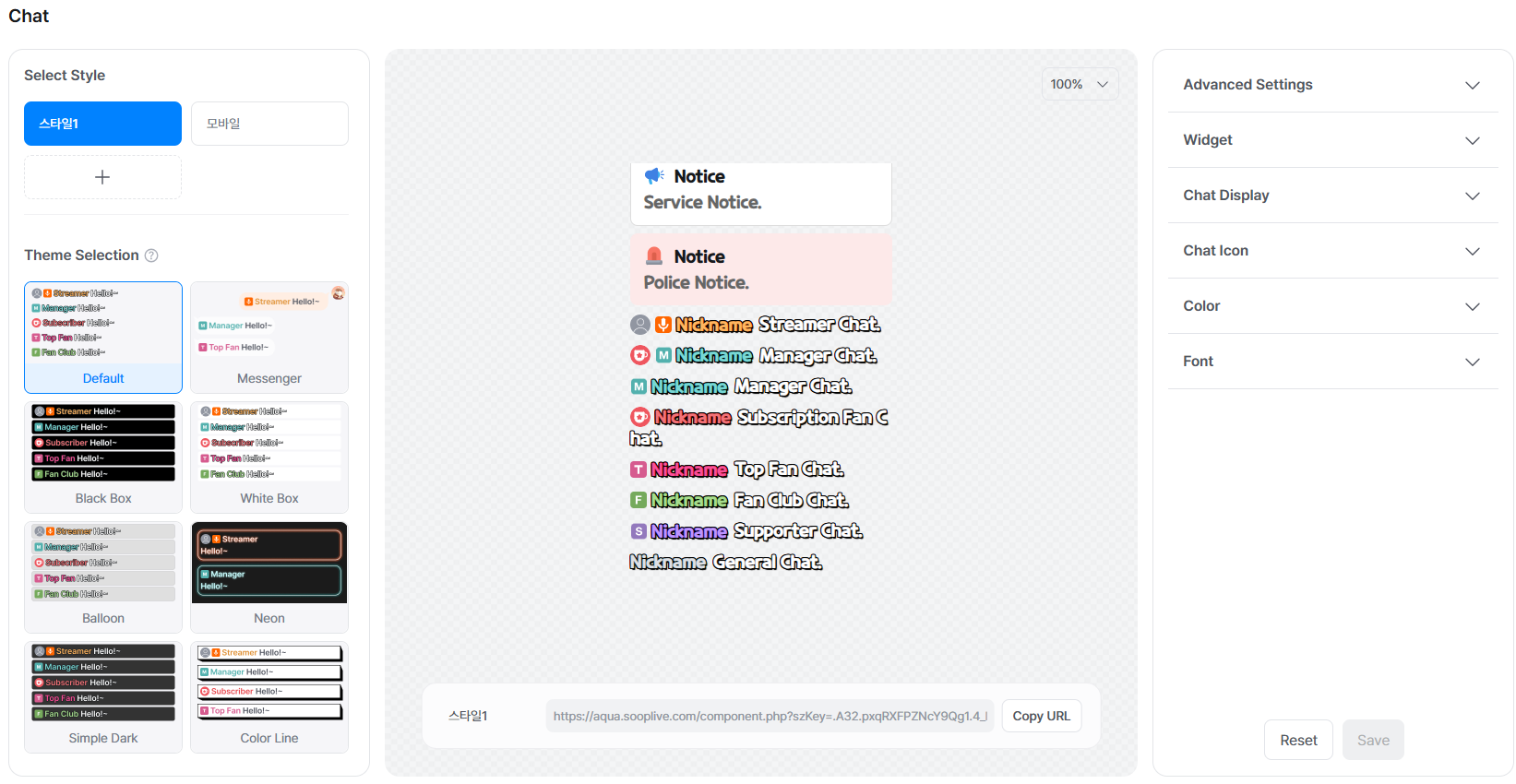
You can customize settings such as chat alignment, which user levels and icons are shown, as well as chat font and color.
[How to Set Up Assistant Chat]
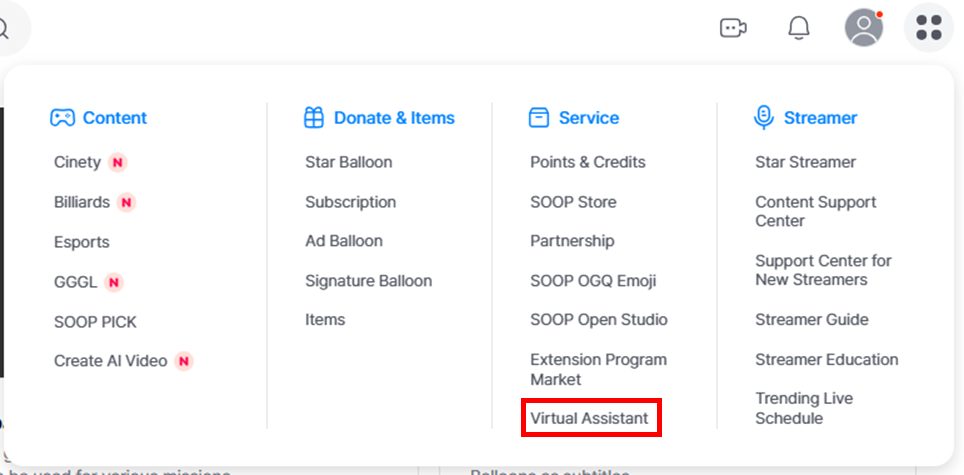
STEP 1 Go to the Assistant Chat settings page.
STEP 2 Configure the chat settings and save.
STEP 3 Set up the Assistant in FreecShot and start your stream.