
This feature allows you to set a starting value and a target (end) value for Star Balloons, UPs, or participant count, and display them as a graph.
It can be used for various missions during broadcasts and helps increase interaction with viewers.
*Amounts from challenge missions and battle missions are included in the goal graph upon settlement.
(However, if a challenge mission fails or a battle mission is lost and no settlement is made, it will not be included.)
[How to Set Up the Goal Graph]
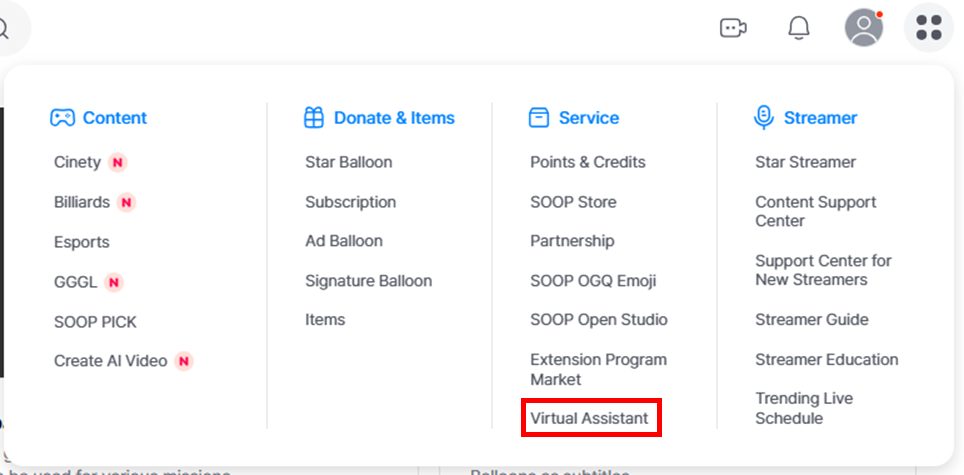
STEP 1 Go to the Assistant settings page.
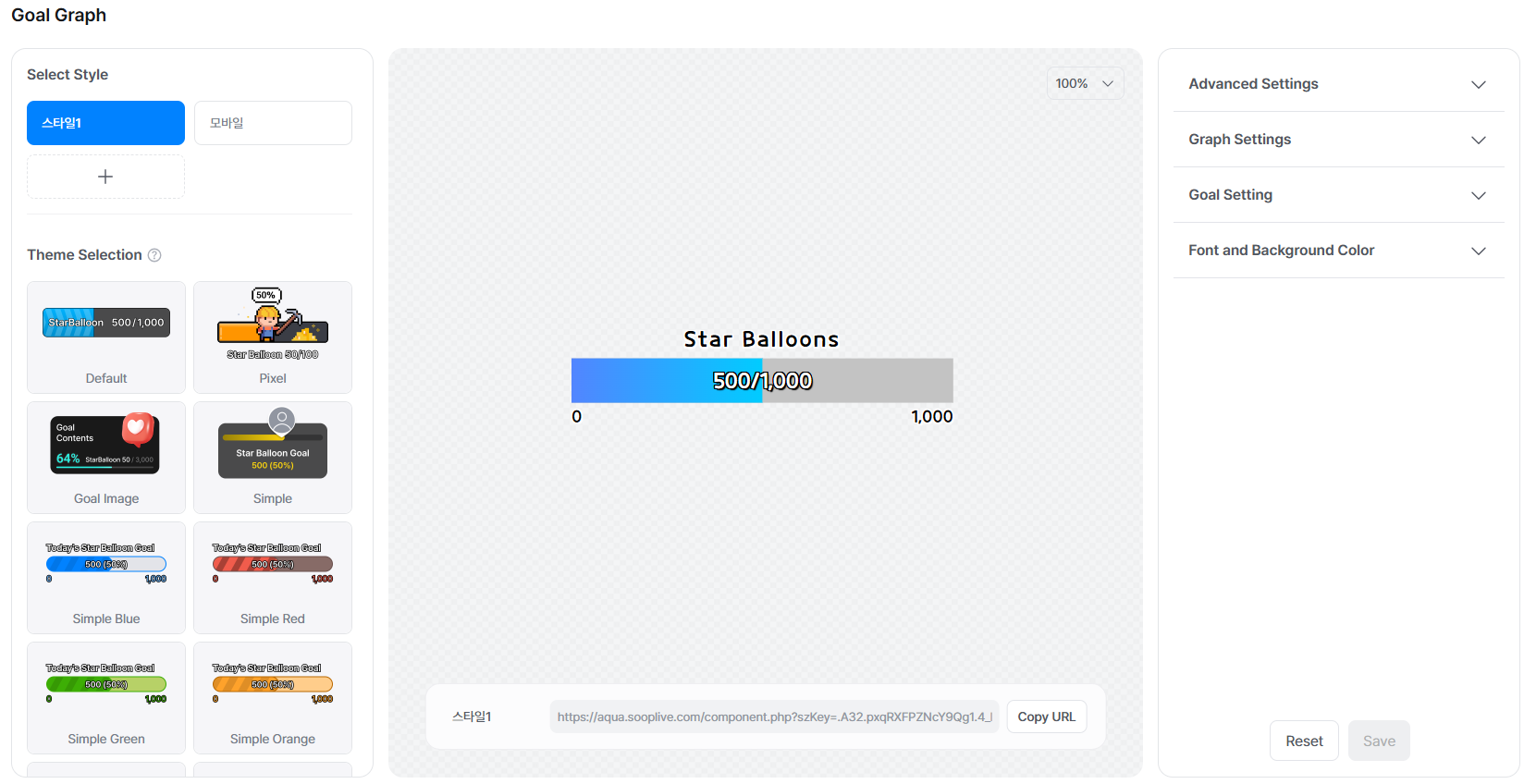
STEP 2 Configure the goal graph and save your settings.
STEP 3 Set up the Assistant in FreecShot and start your stream.