
Streaming on PC is very simple. Please follow the steps below.
[Streamer Stream Technical Guide]
STEP 1 Click the camera icon (FreecShot) at the top right of the SOOP website.

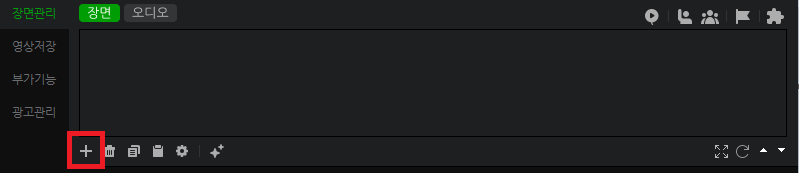
STEP 2 In FreecShot, go to Scene Management at the bottom and click “+ Add.”
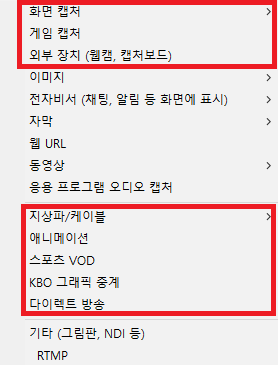
STEP 3 Select the appropriate option based on your broadcast type and configure your streaming screen.
(e.g., choose External Device for webcam streaming, or Game Capture for game streaming)
STEP 4 Set the stream title, category, and other details, then start your stream.
