
The Korea Fair Trade Commission has enforced the revised “Guidelines on Review of Labeling and Advertising for Recommendations and Endorsements” since September 2020.
If there is any economic relationship involved, it must be disclosed.
Accordingly, a “Paid Promotion” labeling feature has been added so you can indicate recommendation/endorsement content.
- What does recommendation/endorsement content mean?
Recommendation/endorsement refers to content that may be perceived as an independent opinion of a third party (not the advertiser), where a product is positively evaluated or its purchase/use is encouraged.
<Guideline Definition> Content expressed in voice, text, images, or video that can be recognized as a third party’s independent opinion (not the advertiser’s), evaluating or recommending a product (including services) in terms of effectiveness, performance, or quality.
- What do the guidelines cover?
The guidelines provide criteria for determining unfair labeling and advertising related to recommendations/endorsements, especially how to properly disclose economic relationships.
An economic relationship includes any financial or material connection between the advertiser and the endorser, such as:
- Monetary compensation (cash, gift cards, points, etc.)
- Free products, rentals, or discounts
- Revenue sharing through collaborations or joint purchases
- Business partnerships or employment relationships
- Is there a feature to display recommendation/endorsement content?
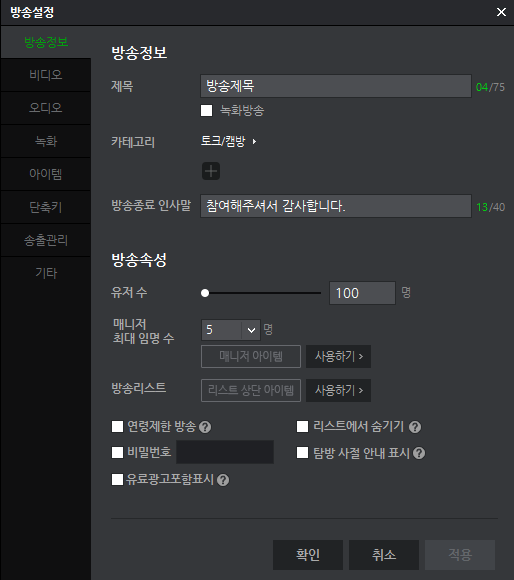
1) LIVE
- FreecShot > Settings > Broadcast Info > “Paid Promotion” toggle is available
- Changes to this setting are reflected in real time on the viewer player
※ Support for external device streaming and Android/iOS broadcasting is scheduled to be updated later
2) VOD
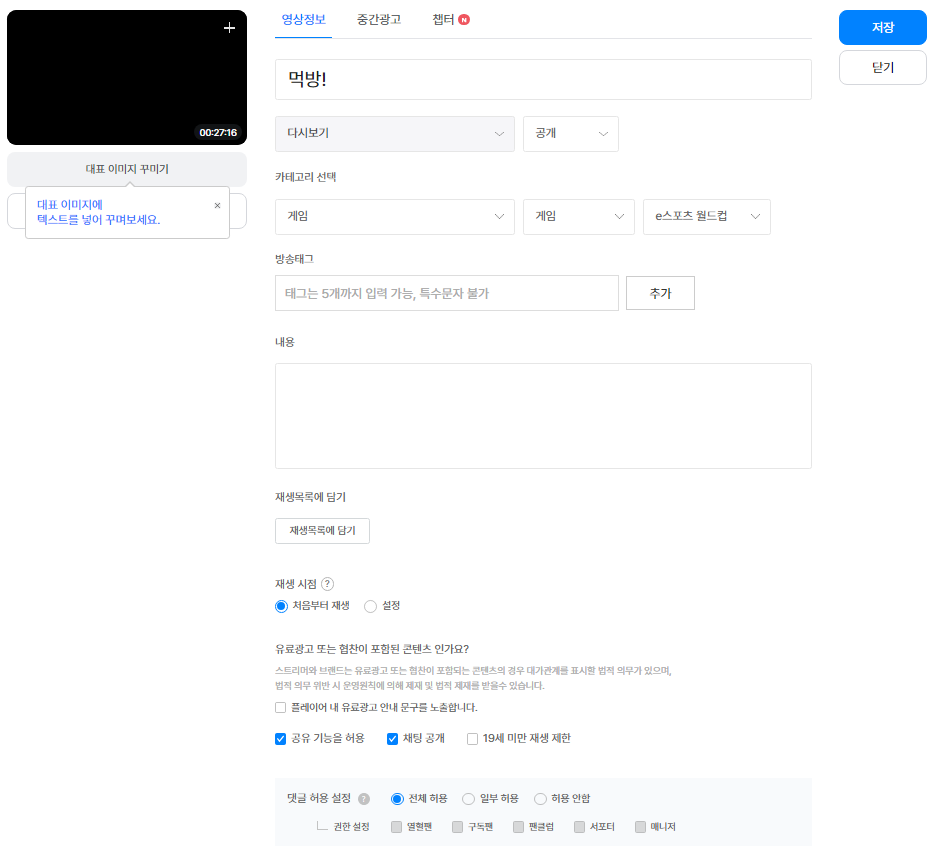
- The “Paid Promotion” setting is available on the PC VOD upload/edit page and the mobile web VOD edit page.
※ Support for the mobile app VOD upload/edit page is scheduled to be updated later. - Changes to the “Paid Promotion” setting will be applied to players when viewers newly enter the stream. It will not be reflected in real time for viewers already watching.
- For automatically saved replays and highlights, the “Paid Promotion” option is automatically applied based on whether it was enabled during LIVE.
- LIVE user clips: If the recorded segment contains paid promotion, the “Paid Promotion” option is automatically applied.
- Replay user clips / highlights: If the VOD contains paid promotion segments, the “Paid Promotion” option is automatically applied.
- You can also modify the “Paid Promotion” setting for already uploaded VODs through the VOD information edit page.
- How is the “Paid Promotion” label displayed?
1) LIVE
- When entering a stream with “Paid Promotion” enabled, or when it is enabled during the broadcast, a notice will be displayed in the player for 3 seconds.
(PC) A message saying “This video includes paid promotion.” will appear at the bottom-center of the player.
(Mobile) A “Paid Promotion” label will appear at the top-right of the player. - After that, until the setting is turned off, the notice will reappear when hovering over the player (PC) or tapping the player (mobile).
2) VOD
- When entering content with “Paid Promotion” enabled, a notice will be displayed in the player for 3 seconds.
(PC) A message saying “This video includes paid promotion.” will appear at the bottom-center of the player.
(Mobile) A “Paid Promotion” label will appear at the top-right of the player. - After that, the notice will reappear when hovering over the player (PC) or tapping the player (mobile).