
You can use the Assistant features provided in FreecShot on mobile as well.
*Available from iOS version 6.12.0 and Android version 6.15.1 or later.
*On mobile, you can also use gift alerts and select goal graph themes.
[How to Use Assistant Sources]
STEP 1 Go to Broadcast > Tap “Add Source” at the bottom right
STEP 2 Select the source you want to display from the source list
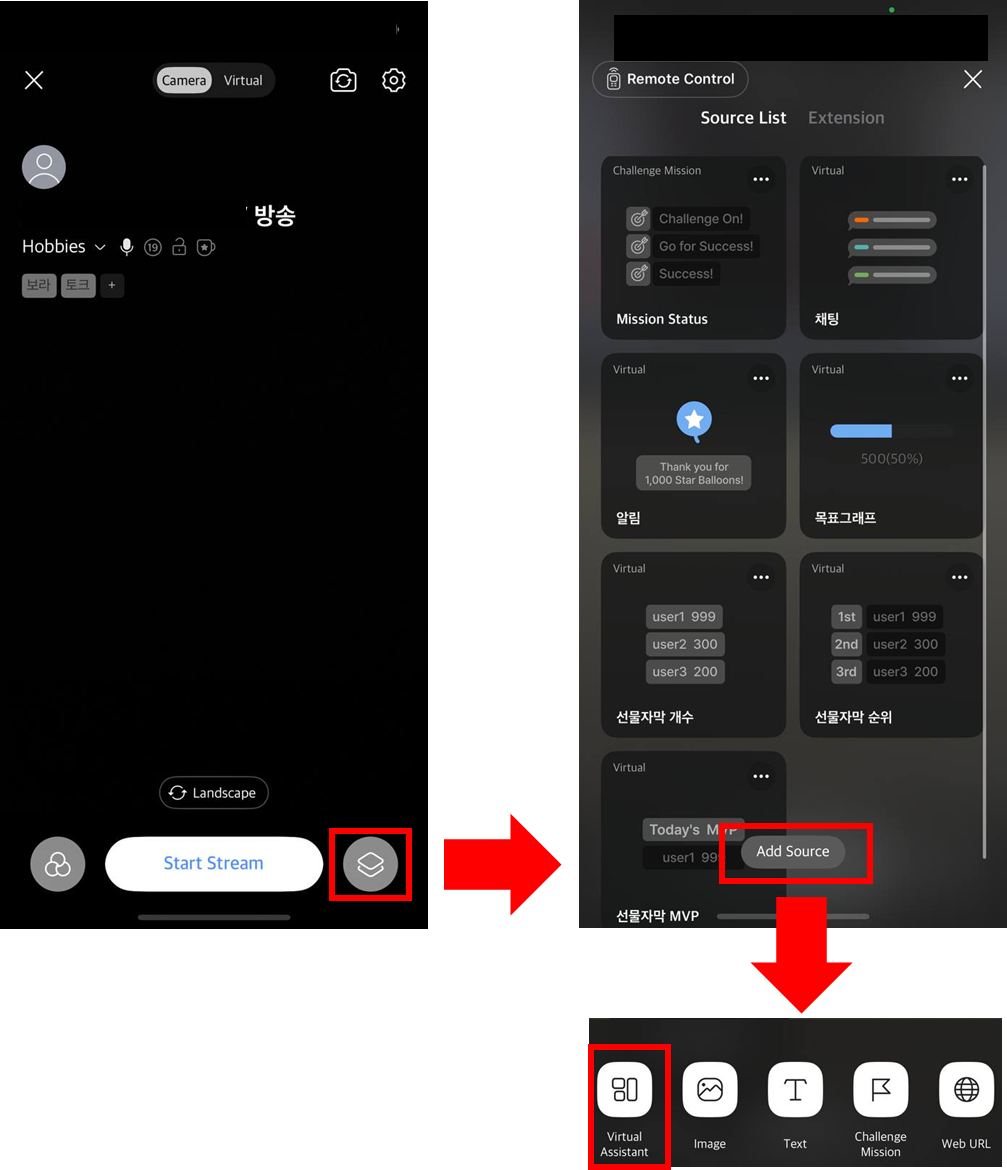
- You can adjust the position and size of sources on the broadcast screen, and a quick menu will appear when you tap a source.
- On mobile, only basic editing options are available. Detailed settings can be configured on PC.
PC Assistant > Chat, Alerts, etc. > Mobile Style