
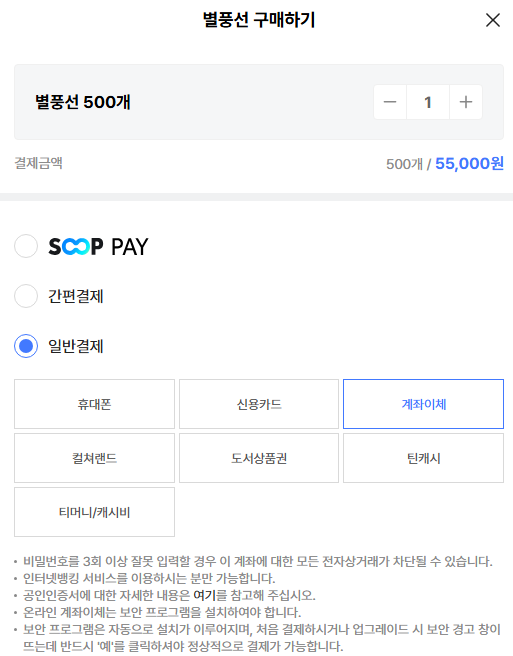
Bank transfer is available only on PC and allows immediate payment directly from your bank account using a certified digital certificate (used for internet banking).
[Payment Method]
Bank Transfer → Agree to the terms of payment information → Enter your bank account details → Proceed with payment → Enter your certificate password → Payment completed
- If no certificates appear in the list, it means no certificate is installed on your PC. Please issue and install one before use.
[Important Notes]
- If you enter your password incorrectly more than 3 times, all e-commerce transactions for that account may be blocked
- Available only for users with internet banking services
- For more details about certificates, please refer to the relevant information page
- Security programs must be installed for online bank transfers
- The security program will install automatically. When prompted with a security warning during first use or updates, you must click “Yes” to proceed with payment
- The daily limit for bank transfer is 1,000,000 KRW per account across all SOOP services