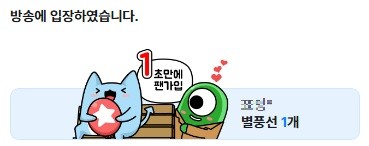
If you send Star Balloons on a VOD after checking “Show VOD Star Balloons on Live Entry,” a ceremony corresponding to the number of Star Balloons you sent will be displayed when you first enter the streamer’s live broadcast.
[VOD Star Balloon Sending Method]
STEP 1 Go to the streamer’s channel
STEP 2 Select a VOD from the channel (replays and edited VODs are also available)
STEP 3 Send Star Balloons using the “Send Gift” button at the bottom right of the player (Make sure to check “Show VOD Star Balloons on Live Entry”)
STEP 4 When the streamer is live, you can see your gift history as a message in the chat upon entering the stream