
A subscriber-only VOD is a special video that can be uploaded to be viewed exclusively by subscribers.
For subscriber-only VODs, a subscription badge is displayed at the top-left corner of the thumbnail.
[How to upload a subscriber-only VOD]
When uploading a VOD, select the “Subscriber-only” option in the public board, or upload it directly to the subscriber-only board.
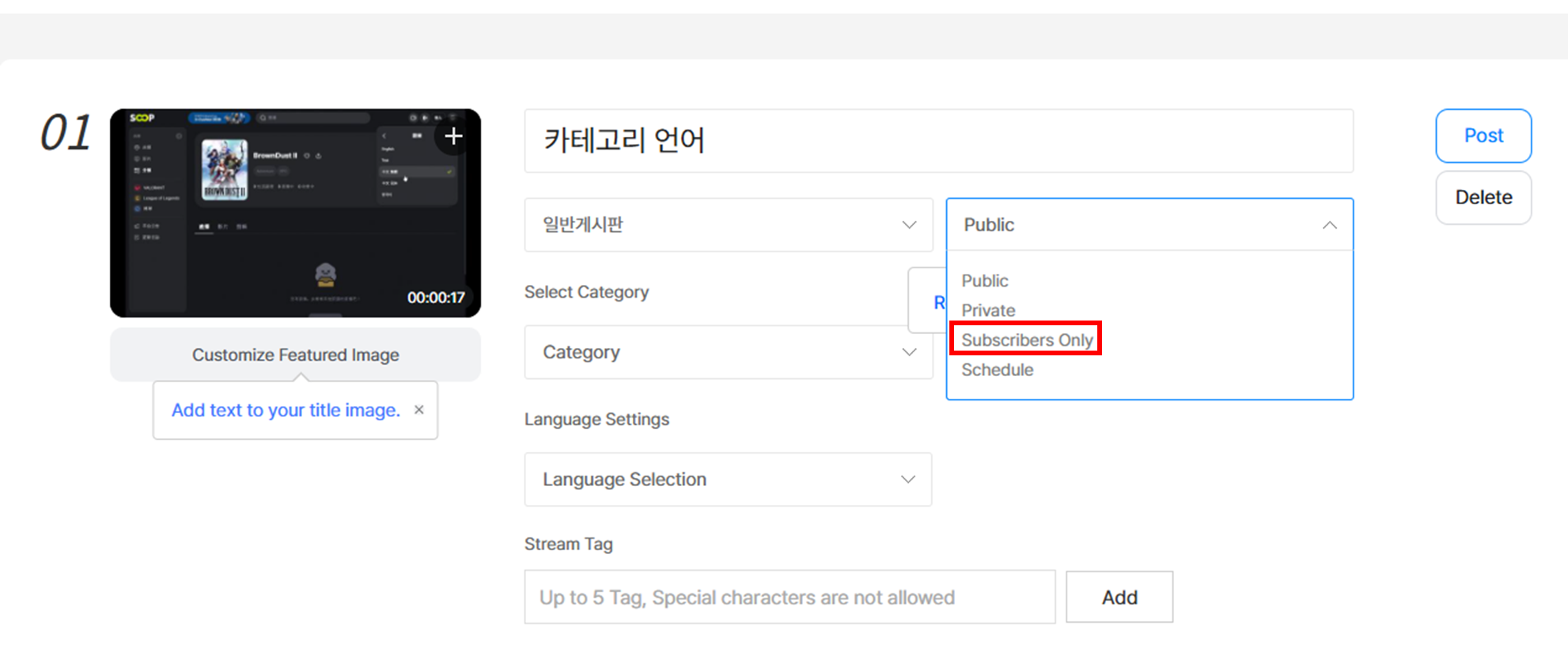
- You can change an uploaded VOD to a subscriber-only VOD even after uploading.
- User VODs cannot be changed to subscriber-only VODs.
- Subscriber-only VODs are only available to subscribers of the streamer, and you cannot set a “streaming streamer” for them.
For existing VODs, the streaming streamer cannot be set or changed during editing.
[How to watch subscriber-only VODs]
You can play VODs marked as “subscriber-only” in the VOD menu, MY, channel, or search—only if you are subscribed to the original streamer.