
A User Clip is a feature that allows you to create VOD clips ranging from 20 seconds to 5 minutes.
[How to create a User Clip]
If there is a moment you want to save, click the User Clip icon.
From the selected point, you can preview up to 10 minutes prior in the preview window.
You can then adjust the clip length from 20 seconds to 5 minutes and click the “Create” button to generate the clip.
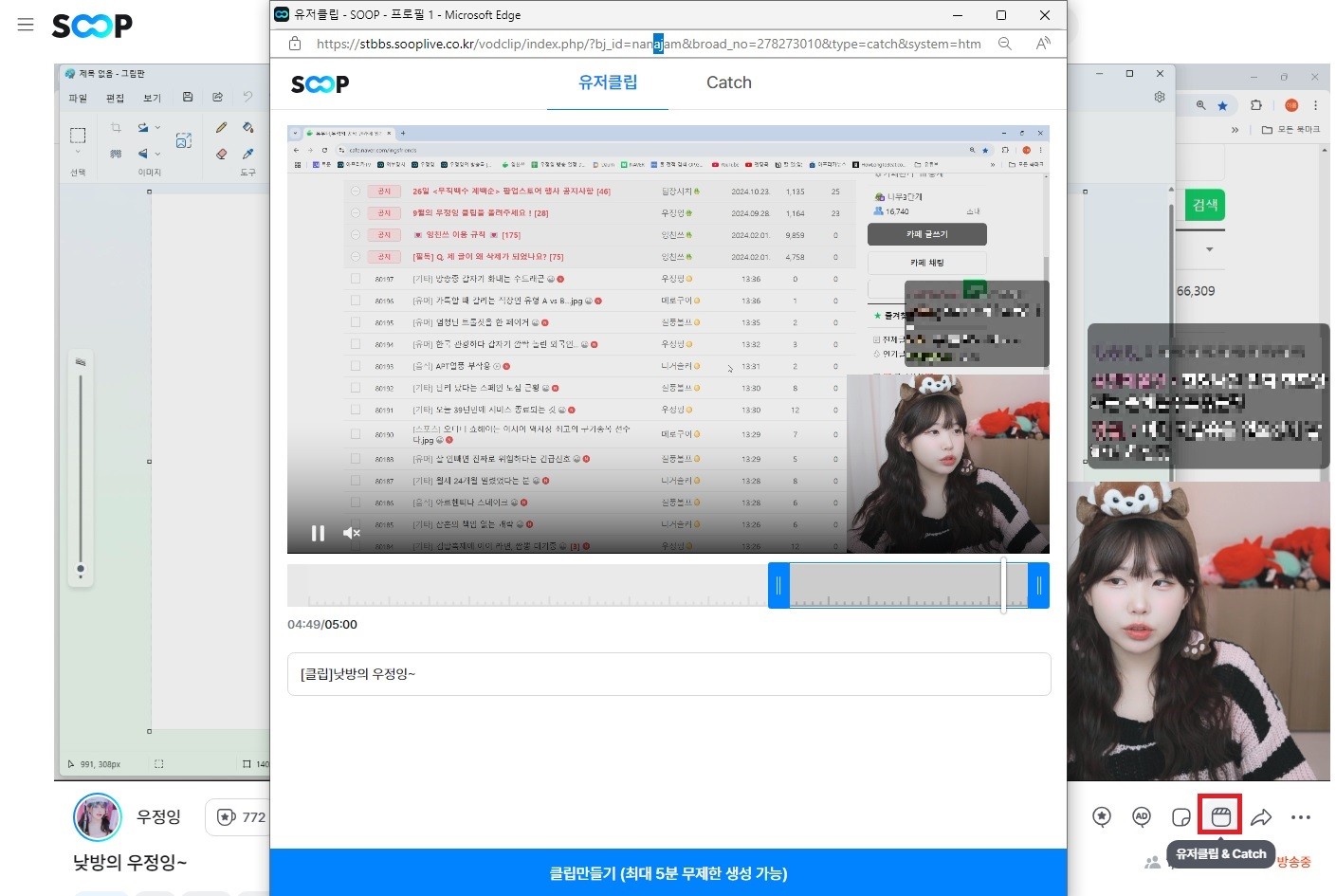
- Clips can only be created starting from at least 10 seconds after the selected point.
- Clips cannot be created in certain categories such as Music (streaming), Professional Baseball, Professional Volleyball, and Professional Soccer.