
With Subscription Plus, streamers can directly set their own benefits and pricing levels.
Since each streamer can freely configure their desired price and perks, the subscription fee and benefits may vary depending on the streamer.
- Subscription Basic does not support benefit or level settings.
[How to Use]
PC > Top right (four-dot menu) > Subscription > Manage Subscription
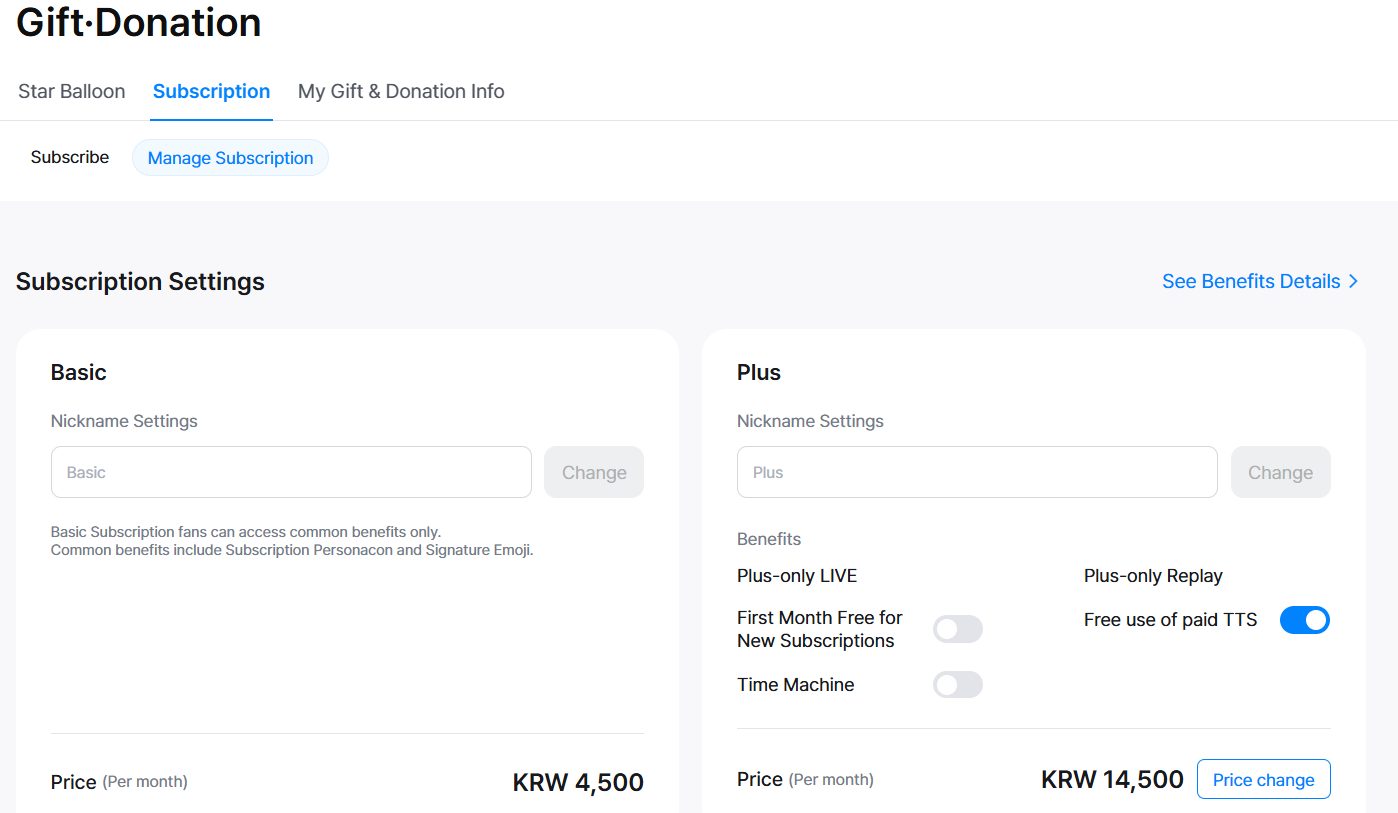
[Subscription Plus Price (Level) Settings]
You can choose from Level 1 to Level 5 depending on the price.
The default setting is fixed at Level 2 for operating Subscription Plus support amounts.
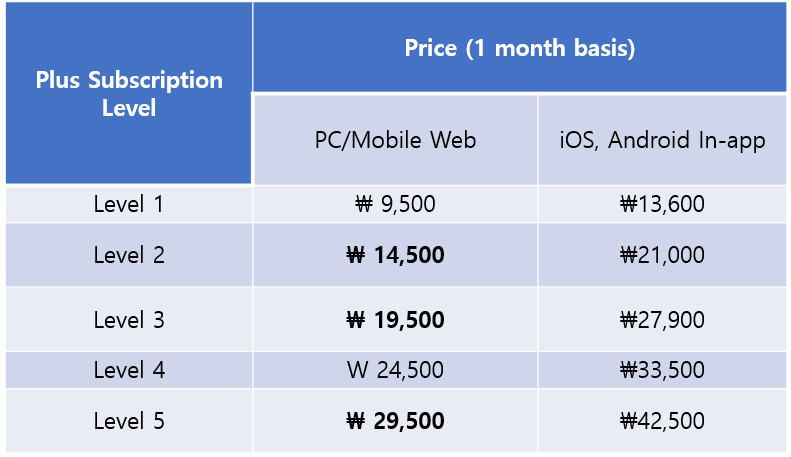
1) When a streamer changes the price
- After changing the price, the streamer will receive a notification message the following day.
- If the price is increased or decreased, users will be notified via message or KakaoTalk notification.
- KakaoTalk notifications are only sent to users who have agreed to receive them.
If you wish to receive them, please enable marketing notifications in:
My Info > Edit Profile > Agree to receive marketing information
- The new price is not applied immediately. It will take effect 30 days after the next day following the change.
- Prices can be changed every 31 days.
- The streamer can cancel the price change on the same day it was requested, but from the next day, the change is finalized.
If the price is increased, a user consent process is required, and the change cannot be withdrawn.
2) When a user subscribes with auto-renewal
- User consent is required for price increases. If not agreed, the auto-renewal will be canceled.
- Consent must be given before the price increase takes effect.
- If the price increases during auto-renewal, you can agree through the following paths:
- PC or App > Messages > Agree to price increase
- PC > Subscription Info > Agree to increase per auto-renewal item
- KakaoTalk notification (sent in advance regarding the upcoming increase)